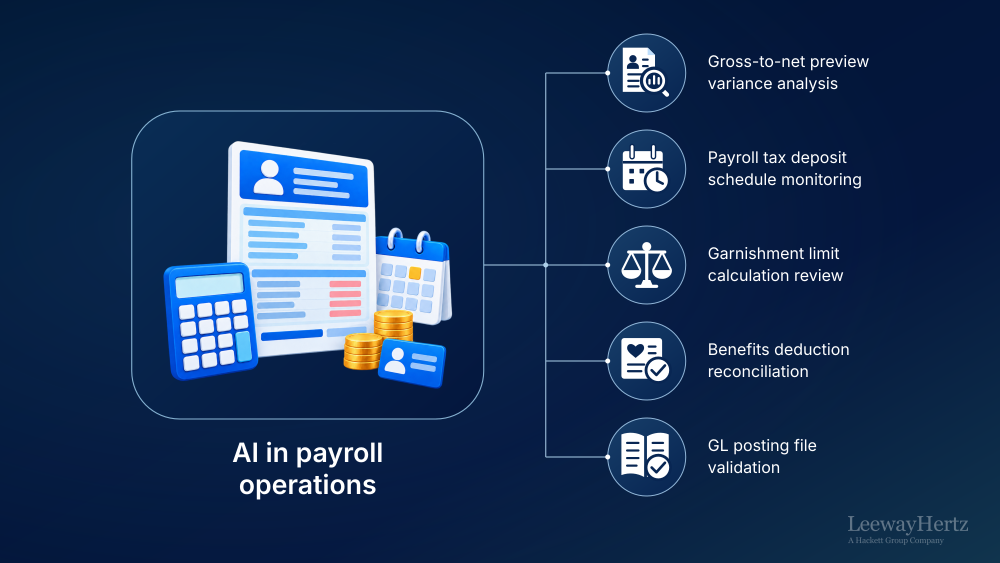
Payroll operations is the enterprise function that converts workforce activity, employee master data, compensation changes, tax elections, deductions, garnishment orders, benefits elections and payroll calendars into accurate, timely and controlled employee payments. It covers far more than pay calculation. A mature payroll operating model spans time validation, gross-to-net processing, payroll tax withholding and filing, garnishment administration, benefits deduction interfaces, banking and disbursement, payroll accounting, reconciliation, off-cycle payments, year-end processing, employee inquiries, control evidence and global payroll coordination.
The operating challenge is that payroll is both high-volume and exception-sensitive. A single pay cycle can involve time imports, retroactive compensation changes, terminations, overtime rules, multi-state tax setups, benefit deduction updates, garnishment limits, bank file controls, GL postings and employee inquiries. Payroll teams must resolve these exceptions quickly without weakening approval discipline while complying with wage and hour requirements, withholding and tax deposit rules, state wage payment laws, and garnishment regulations. For example, the IRS states that employment tax deposits generally follow monthly or semiweekly schedules based on the employer’s lookback-period tax liability, not on how often employees are paid [1]. The U.S. Department of Labor explains that the FLSA requires covered nonexempt employees to receive at least the federal minimum wage and overtime pay of not less than one and one-half times the regular rate for hours over 40 in a workweek, unless an exemption applies [2].
The business case for better payroll operations is also expanding. Grand View Research estimates the global payroll administration business process outsourcing market at USD 4.28 billion in 2025, with North America identified as the largest revenue-generating region [3]. Deloitte’s 2025 payroll benchmarking research focused on large and mega-enterprise companies, gathering data from 15 organizations with 25,000 to 240,000 active employees, which reflects the scale at which payroll leaders need more controlled operating insight [4].
In payroll operations, AI matters because it can compare artifacts, detect anomalies, classify exceptions, retrieve rules, draft explanations, and assemble evidence before a payroll specialist, payroll analyst, payroll manager, payroll tax analyst, garnishment specialist, payroll accountant, or controller approves a risk-bearing action.
AI in payroll must work within the interconnected payroll cycle rather than function as a generic chatbot over employee data. Time validation, gross-to-net calculation, tax withholding, garnishment administration, banking, accounting, reconciliation, year-end reporting and global payroll coordination each involve different artifacts, systems, rules, reviewers and approval requirements. A payroll analyst needs employee-level variance evidence before payroll commit; a payroll tax analyst needs withholding, deposit and filing evidence tied to Forms 941, 940 and state filings; a garnishment specialist needs the order, active deductions, priority rules and CCPA limit worksheet before interpreting an exception; and a payroll accountant needs GL posting and bank reconciliation evidence for close and control testing. Effective AI implementation starts by mapping these sub-processes and supporting their specific evidence and review needs, rather than automating isolated tasks or producing broad payroll commentary.
This is why the payroll operating model provides the right implementation framework. It breaks payroll into functions, processes and sub-processes, identifies the artifacts and systems that drive each activity, defines accountable roles and regulatory considerations, and establishes clear human review boundaries. Mapping AI opportunities at this level makes it possible to design governed workflows that fit naturally into existing payroll operations while preserving control, compliance and auditability.
Using this operating-model approach, the article maps AI capabilities across processes that create the greatest operational value, example agentic workflows, governance considerations, implementation priorities and how platforms such as ZBrain can operationalize these opportunities in enterprise payroll environments.
- How AI is transforming payroll operations
- Why AI use cases in payroll operations must be mapped at the sub-process level
- Payroll operating model and AI opportunity mapping across payroll processes
- High-value AI use cases in payroll operations
- How agentic AI works in payroll workflows
- How to prioritize AI use cases in payroll operations
- Governance, risk and responsible AI in payroll operations
- How ZBrain operationalizes AI use cases in payroll operations
- Future of AI in payroll operations
How AI is transforming payroll operations
AI creates value across the payroll cycle by surfacing errors before commit, supporting exception resolution and strengthening reconciliation afterward. Payroll teams already work with structured data, controlled files, employee-level records, rulesets, tax forms, audit trails and exception queues. The practical opportunity is to help payroll professionals detect issues earlier, explain them faster and route them with stronger evidence, while preserving the authority of named payroll roles.
A cross-system payroll example shows why this matters. A compensation change enters the HRIS after the payroll cutoff, a time system imports overtime with unresolved punch exceptions, a benefits deduction file adds a new deduction, and an open garnishment order changes disposable earnings. The payroll platform produces a gross-to-net preview report with a sharp net-pay movement. AI can aggregate the HR event feed, time exception log, pay register, benefits deduction election file and garnishment calculation worksheet, then identify the likely causes before the payroll analyst reviews the exception. The value comes from evidence assembly and anomaly explanation, not from allowing AI to approve payroll.
Payroll work is especially suited to governed AI because it combines five kinds of operational work:
- Document-heavy work: W-4s, state withholding certificates, W-2/W-2c files, Forms 941/940, state SUI filings, garnishment orders, agency notices, NACHA files, GL posting files, payroll bank reconciliations, shadow payroll reports and SOC 1 evidence packets.
- Narrative-heavy work: employee inquiry responses, agency notice responses, payroll variance explanations, off-cycle correction rationales, year-end audit support narratives and control evidence summaries.
- Exception-heavy work: punch exceptions, retro triggers, negative net pay, duplicate bank accounts, outlier overtime, duplicate deductions, failed payments, tax notice discrepancies, garnishment priority conflicts and final-pay deadline exceptions.
- Knowledge-heavy work: FLSA rules, IRS withholding and deposit requirements, state wage payment laws, CCPA garnishment limits, state garnishment variations, multi-state reciprocity rules, SOC 1 controls, SOX controls and company payroll policies.
- Workflow-heavy work: pre-payroll audit, gross-to-net correction, tax deposit scheduling, garnishment lifecycle management, payroll-to-GL reconciliation, payment reissue handling, termination pay processing, year-end reconciliation and global payroll calendar orchestration.
The practical design rule is straightforward. AI may extract, classify, compare, reconcile, detect anomalies, draft explanations and prepare review packets. Final-pay compliance, payroll tax filing approval, garnishment determinations, banking file release and payroll commit remain the responsibility of authorized payroll professionals.
Why AI use cases in payroll operations must be mapped at the sub-process level
AI initiatives in payroll operations fails when it starts from broad labels. “AI for payroll,” “AI for tax compliance” or “AI for gross-to-net” does not define the trigger artifact, review role, downstream system, approval boundary or control evidence. Payroll leaders need to know exactly which record the workflow starts from, which systems it reads, which rules it retrieves, which exceptions it flags, who reviews the output and what evidence is retained.
A better approach is to map AI use cases to the payroll operations operating model:
- Function: A governed area of payroll work with a defined accountability boundary. Payroll tax withholding and filing is a function because it has its own artifacts, filing calendars, deposit rules, agency notices and accountable payroll tax roles.
- Process: A repeatable workflow area inside a function. In payroll tax withholding and filing, deposit scheduling is a process because it converts payroll tax liability and pay-date data into a deposit calendar and payment evidence.
- Sub-process: A defined activity with a clear input, output and reviewer. Payroll tax deposit schedule monitoring is a sub-process because it begins with a payroll tax deposit schedule, checks pay-date and liability evidence, flags due-date risk and routes the result to the payroll tax analyst.
- AI-enabled opportunity: A specific capability applied to a specific artifact to change how the sub-process is performed. For example, variance analysis checks employee-level changes in the gross-to-net preview against prior pay registers, while HR event feeds provide context for explaining those changes before payroll commit.
This distinction matters because payroll actions have different risk levels. Drafting an employee inquiry response is not the same as committing payroll. Classifying a tax notice is not the same as submitting an agency response. Comparing a garnishment calculation worksheet with CCPA limits is not the same as making the final garnishment interpretation. The operating model keeps those boundaries visible.
For this reason, the article breaks payroll operations into twelve core functions, each with teams involved, key artifacts, systems involved, regulatory and control considerations, accountable roles, sub-process specific AI opportunities, human ownership boundaries and an example agentic workflow.
Build governed AI-driven payroll workflows with ZBrain
Design, validate and govern AI workflows across payroll audit, gross-to-net review, tax filing support, garnishment administration and reconciliation.
Payroll operating model and AI opportunity mapping across payroll processes
The payroll operating model below maps payroll functions to teams, artifacts, systems, regulatory and control considerations, accountable roles, sub-process specific AI opportunities, human-ownership boundaries and agentic workflow examples. Each function is written at the level payroll leaders need for implementation: specific artifacts, specific systems, reviewers and AI capabilities.
Function 1: Payroll data collection and time validation
Converts workforce activity and HR events into validated payroll inputs.
This function gathers timecard data, punch exceptions, earnings inputs, deduction inputs and HR event feeds before payroll calculation begins. It sits at the front of the payroll cycle and feeds pre-payroll audit, gross-to-net calculation, retro processing and termination pay review.
Teams involved: Payroll specialists, payroll analysts, HRIS analysts, timekeeping administrators and payroll managers run this function with input from HR operations and workforce management owners.
Key artifacts: Timecard and punch data, time and attendance exception log, HR event feed, pay register, retro calculation worksheet and payroll variance report.
Systems involved: Time and attendance system, HRIS, payroll platforms, HR case management system and reporting workspace.
Regulatory and control considerations: FLSA overtime and recordkeeping expectations, state wage payment rules, payroll change approval controls and SOC 1 evidence for payroll input completeness.
Accountable roles: Payroll specialist, payroll analyst, HRIS analyst and payroll manager.
What AI helps with: Classification can group punch exceptions by missing punch, schedule mismatch, meal-period issue, overtime review or approval gap. Anomaly detection flags overtime in current timecard and punch data that falls outside historical patterns, prompting payroll review before the gross-to-net preview. Multi-source aggregation connects HR event feeds with earnings and deduction inputs so hires, terminations, transfers and compensation changes are checked before payroll calculation.
What humans continue to own: Payroll specialists and payroll analysts confirm corrected time inputs, HRIS analysts resolve source-data defects, and payroll managers approve payroll-input readiness. AI extracts, classifies, reconciles, drafts or prepares but does not decide, approve, release, file, disburse or attest.
| Process | Sub-process | Key AI-enabled opportunities |
|---|---|---|
| Time import and validation | Timecard import validation |
|
| Punch exception resolution |
|
|
| Overtime review support |
|
|
| HR event validation | Hire and termination feed validation |
|
| Transfer and compensation change validation |
|
|
| Retro readiness assessment | Retro trigger identification |
|
| Payroll input readiness assessment | Payroll input completeness check |
|
Highest-value opportunities: Timecard exception classification reduces pre-calculation rework because it turns unresolved time issues into structured queues. HR event to pay-impact validation is high-value because late or incorrect HR events affect pay, tax, deductions and off-cycle corrections. Retro trigger identification is also high-value because missed retros often surface after payroll commit, when correction cost and employee impact increase.
Example agentic workflow: Payroll input readiness assessment
- The workflow begins when the timecard and punch data import closes for a pay group.
- The agent compares the import with the time and attendance exception log, HR event feed and prior pay register.
- It classifies unresolved issues into missing punch, overtime review, late HR event, compensation change and retro trigger queues.
- A payroll analyst reviews the exception packet and confirms which inputs require correction before gross-to-net preview.
- The payroll manager approves input readiness.
- The evidence packet retains source files, reviewer disposition, timestamps and correction rationale for payroll control review.
Function 2: Pre-payroll audit and exception resolution
Turns a gross-to-net preview into a corrected payroll cycle ready for commit review.
Pre-payroll audit is the main control point before payroll release. It uses preview registers, variance reports, prior-cycle pay registers, HR events, time exceptions and garnishment data to identify payroll-impacting issues before payroll is committed.
Teams involved: Payroll analysts, payroll specialists, payroll managers, garnishment specialists, payroll tax analysts and HRIS analysts participate depending on the exception type.
Key artifacts: Gross-to-net preview report, payroll variance report, prior pay register, HR event feed, time and attendance exception log, garnishment order, garnishment calculation worksheet, retro calculation worksheet and correction rationale log.
Systems involved: Payroll platform, HRIS, time and attendance system, garnishment administration system, reporting workspace and case management system.
Regulatory and control considerations: Payroll change controls, SOC 1 controls, SOX payroll controls, CCPA garnishment limits, state final-pay laws and company payroll approval policy.
Accountable roles: Payroll analyst, payroll manager, garnishment specialist and payroll tax analyst.
What AI helps with: Anomaly detection compares the gross-to-net preview report with prior pay registers to flag net-pay movements, duplicate deductions, negative net pay and outlier overtime. Multi-source aggregation ties each exception to the HR event feed, time exception log, garnishment order or deduction file that likely caused it. Natural-language generation prepares exception explanations and correction rationale drafts for payroll analyst review.
What humans continue to own: Payroll analysts disposition exceptions, payroll managers approve corrected commit readiness, garnishment specialists interpret garnishment exceptions, and payroll tax analysts review tax-impacting issues. AI extracts, classifies, reconciles, drafts or prepares but does not decide, approve, release, file, disburse or attest.
| Process | Sub-process | Key AI-enabled opportunities |
|---|---|---|
| Preview audit | Gross-to-net preview variance analysis |
|
| Negative net pay detection |
|
|
| Duplicate deduction detection |
|
|
| Payroll anomaly review | Duplicate bank account flagging |
|
| Outlier overtime detection |
|
|
| Payroll exception resolution | Error correction before commit |
|
| Commit readiness assessment | Corrected commit approval packet creation |
|
Highest-value opportunities: Gross-to-net preview variance analysis has the widest downstream effect because it catches payroll errors before commit. Negative net pay detection reduces employee-impacting surprises. CCPA limit exception review is high-value because garnishment errors can create compliance and employee relations issues.
Example agentic workflow: Pre-payroll exception audit
- The workflow begins when the gross-to-net preview report completes for a biweekly or semimonthly payroll cycle.
- The agent aggregates the preview register, prior-cycle pay registers, HR event feed, time exception logs and open garnishment orders.
- It retrieves the payroll audit ruleset, variance thresholds by pay element, state final-pay deadline references and garnishment calculation rules.
- It prepares an exception packet ranked by payroll risk, including deadline-bound terminations, sharp net-pay movements, duplicate deductions, CCPA limit exceptions and validated retro calculations.
- The payroll analyst dispositions each exception, the garnishment specialist reviews CCPA limit exceptions, and the payroll manager approves the corrected commit.
- The corrected cycle is committed only after approval, and correction rationale, source anchors, reviewer dispositions and timestamps are retained for SOC 1 testing and agency inquiries.
Function 3: Gross-to-net calculation
Transforms approved payroll inputs into calculated earnings, taxes, deductions and net pay.
Gross-to-net calculation applies earnings, deductions, taxes, imputed income, retro pay and off-cycle calculations. It is the technical core of payroll processing, but it still depends on upstream input quality and downstream audit controls.
Teams involved: Payroll specialists, payroll analysts, payroll tax analysts, benefits administrators and payroll managers run this function with HRIS analyst support for data issues.
Key artifacts: Pay register, gross-to-net preview report, W-4 and state withholding certificate, benefits deduction election file, retro calculation worksheet, off-cycle payment request and payroll variance report.
Systems involved: Payroll platform, payroll tax engine, HRIS, benefits administration platform, time and attendance system and reporting workspace.
Regulatory and control considerations: IRS withholding rules, state withholding rules, multi-state nexus and reciprocity rules, FLSA overtime requirements, payroll change controls and SOC 1 controls.
Accountable roles: Payroll analyst, payroll tax analyst, benefits administrator and payroll manager.
What AI helps with: Data comparison validates earnings and deduction inputs against HR events and benefits elections before calculation. Retrieval-grounded answering surfaces withholding and reciprocity context for payroll tax analyst review. Anomaly detection flags calculated earnings, taxes and deductions that depart from historical patterns, giving payroll analysts time to investigate before payroll release.
What humans continue to own: Payroll analysts and payroll tax analysts review gross-to-net exceptions, benefits administrators confirm deduction-source issues, and payroll managers approve calculation readiness. AI extracts, classifies, reconciles, drafts or prepares but does not decide, approve, release, file, disburse or attest.
| Process | Sub-process | Key AI-enabled opportunities |
|---|---|---|
| Earnings calculation | Regular earnings validation |
|
| Overtime and premium pay calculation review |
|
|
| Deduction processing | Pre-tax and post-tax deduction validation |
|
| Imputed income processing | Taxable fringe benefit calculation support |
|
| Tax determination | Multi-state tax setup validation |
|
| Retro and off-cycle calculation | Retro pay calculation review |
|
| Off-cycle gross-to-net audit |
|
Highest-value opportunities: Multi-state tax setup validation is high-value because setup errors affect withholding, filings and employee experience. Retro pay calculation review reduces post-commit corrections. Pre-tax and post-tax deduction validation is also valuable because deduction errors can cascade into net pay, tax and benefit reconciliation.
Example agentic workflow: Gross-to-net calculation review
- The workflow begins when the gross-to-net preview report is generated for a pay group.
- The agent compares earnings, tax, deduction, imputed income and retro lines with HR event feeds, W-4 records, state withholding certificates, benefits deduction election files and retro calculation worksheets.
- It flags calculation exceptions by pay element and suspected source cause.
- The payroll analyst reviews pay calculation exceptions, the payroll tax analyst reviews withholding exceptions, and the benefits administrator confirms deduction-source issues.
- The payroll manager approves calculation readiness before payroll commit.
- The workflow retains before-and-after values, source anchors, reviewer identities and correction rationale.
Function 4: Payroll tax withholding and filing
Turns payroll tax liabilities into deposits, filings, notices and response evidence.
Payroll tax operations manage federal, state and local withholding, deposit schedules, quarterly and annual filings, agency notices and abatement requests. This function connects payroll calculation with external filing obligations and agency communication.
Teams involved: Payroll tax analysts, payroll managers, payroll specialists, payroll accountants and finance controllers participate based on filing and reconciliation impact.
Key artifacts: W-4 and state withholding certificate, Forms 941 and 940, state SUI filings, payroll tax deposit schedule, agency notice file, pay register, payroll variance report and year-end reconciliation workbook.
Systems involved: Payroll platform, payroll tax engine, agency portals, EFTPS or tax payment systems, case management system, GL or ERP and reporting workspace.
Regulatory and control considerations: IRS withholding rules, federal deposit schedules, Forms 941 and 940 instructions, W-2 and W-2c requirements, state withholding and SUI rules, local payroll tax rules and SOX controls. The IRS explains that Form 941 deposit schedules are monthly or semiweekly and are based on employment taxes reported during the lookback period [5].
Accountable roles: Payroll tax analyst, payroll manager, payroll accountant and finance controller.
What AI helps with: Retrieval-grounded answering can surface relevant IRS and state agency guidance for payroll tax analyst review. Reconciliation compares pay registers, tax liabilities, deposit schedules and filing totals to flag mismatches before filing. Document intelligence classifies agency notices and extracts tax period, agency, amount, reason code and response deadline.
What humans continue to own: Payroll tax analysts approve withholding setup changes, filing packets, deposit exception responses and agency responses; finance controllers review material liability or reconciliation issues. AI extracts, classifies, reconciles, drafts or prepares but does not decide, approve, release, file, disburse or attest.
| Process | Sub-process | Key AI-enabled opportunities |
|---|---|---|
| Withholding management | W-4 and state certificate validation |
|
| Multi-jurisdiction withholding review |
|
|
| Deposit scheduling | Payroll tax deposit schedule monitoring |
|
| Filing preparation | Form 941 and 940 reconciliation support |
|
| State filing support | State SUI filing validation |
|
| Agency notice management | Agency notice classification and response packet preparation |
|
| Abatement support | Abatement evidence packet preparation |
|
Highest-value opportunities: Payroll tax deposit schedule monitoring is high-value because missed or late deposits can create penalty exposure. Form 941 and 940 reconciliation support is important because filing totals must align with payroll and accounting evidence. Agency notice classification is high-value because response deadlines and evidence requirements vary by agency.
Example agentic workflow: Payroll tax deposit readiness assessment
- The workflow begins when a payroll tax deposit schedule is updated after payroll calculation.
- The agent compares pay dates, tax liabilities, Forms 941 and 940 history, payroll tax register data and payment confirmations.
- It flags deposit timing conflicts, liability mismatches and missing payment evidence.
- The payroll tax analyst reviews the deposit packet and approves any correction or agency follow-up.
- The finance controller reviews material unresolved liabilities where required.
- The workflow retains tax liability evidence, deposit schedule references, reviewer dispositions and filing-support records.
Function 5: Garnishment administration
Converts legal orders into controlled payroll deductions, employee notifications and agency disbursement records.
Garnishment administration handles child support IWOs, tax levies, creditor garnishments, priority rules, CCPA limits, disbursement files, employee notices and order lifecycle changes. The function is legally sensitive because errors can affect employees, agencies and creditors.
Teams involved: Garnishment specialists, payroll specialists, payroll analysts, payroll managers and legal or compliance liaisons when escalation is required.
Key artifacts: Garnishment order, garnishment calculation worksheet, employee garnishment notification, pay register, payroll variance report, NACHA file and payment confirmation.
Systems involved: Payroll platform, garnishment administration system, document management repository, case management system, banking portal and agency payment portals.
Regulatory and control considerations: CCPA garnishment limits, child support IWO requirements, federal and state tax levy rules, creditor garnishment priority rules and state variations. The department of labor explains that the CCPA limits the amount of earnings that may be garnished and protects employees from discharge for one debt; it also notes that priority questions are generally determined by state or other federal laws [6].
Accountable roles: Garnishment specialist, payroll manager and payroll analyst.
What AI helps with: Document intelligence extracts order type, employee identifiers, issuing agency, amount, priority indicators and effective dates from garnishment orders. Multi-source aggregation brings together active orders, disposable earnings and the garnishment calculation worksheet, enabling validation to identify potential CCPA limit exceptions. Classification separates child support IWOs, tax levies and creditor garnishments for specialist review.
What humans continue to own: Garnishment specialists interpret orders, confirm priority and CCPA limit treatment, approve employee notifications and resolve disputed garnishment logic. AI extracts, classifies, reconciles, drafts or prepares but does not decide, approve, release, file, disburse or attest.
| Process | Sub-process | Key AI-enabled opportunities |
|---|---|---|
| Garnishment order intake | Garnishment order extraction and classification |
|
| Order setup | Employee and order matching |
|
| Calculation review | CCPA limit calculation review |
|
| Garnishment calculation and compliance | Garnishment priority conflict flagging |
|
| Employee communication | Employee garnishment notification drafting |
|
| Agency payment management | Agency disbursement validation |
|
| Garnishment order maintenance | Garnishment order change and release monitoring |
|
Highest-value opportunities: Garnishment order extraction and classification reduce manual intake work while preserving specialist review. CCPA limit calculation review is high-value because limit errors create employee and compliance risk. Priority conflict flagging is high-value because multiple active orders can create payroll-impacting interpretation issues.
Example agentic workflow: Garnishment limit review
- The workflow begins when a new garnishment order enters the garnishment administration queue.
- The agent extracts order type, employee identifiers, withholding amount, agency details, effective date and priority indicators.
- It compares the order with active garnishments, the current pay register and the garnishment calculation worksheet.
- It flags CCPA limit exceptions, priority conflicts and missing order details.
- The garnishment specialist interprets the order, confirms the calculation and approves any setup or notification.
- The workflow retains the order, calculation worksheet, reviewer disposition, employee notification record and disbursement evidence.
Function 6: Benefits and payroll deductions
Ensures payroll deductions reflect approved benefit elections and source files, with benefits teams retaining responsibility for plan administration.
This function manages the payroll-facing side of benefits and deduction processing. It validates carrier files, 401(k) contribution files, benefit deduction elections and arrears data so deductions in payroll align with approved upstream elections.
Teams involved: Payroll specialists, payroll analysts, benefits administrators, HRIS analysts and payroll managers.
Key artifacts: Benefits deduction election file, carrier file feed, 401(k) contribution file, arrears report, pay register, payroll variance report and correction rationale log.
Systems involved: Benefits administration platform, payroll platform, HRIS, carrier portals, retirement plan provider files and reporting workspace.
Regulatory and control considerations: Payroll deduction authorization controls, 401(k) contribution remittance controls, benefits interface controls, SOC 1 controls and SOX payroll controls where deductions affect financial reporting.
Accountable roles: Benefits administrator, payroll analyst, payroll manager and payroll accountant where reconciliation affects liabilities.
What AI helps with: Reconciliation compares benefits deduction election files with pay register deduction lines to identify missing, duplicate or stale deductions. Classification groups arrears by cause, such as unpaid leave, late enrollment, failed deduction or retroactive coverage change. Anomaly detection flags contribution mismatches in 401(k) files before remittance review.
What humans continue to own: Benefits administrators confirm benefit election logic, payroll analysts approve payroll deduction corrections, and payroll managers approve deduction readiness before commit. AI extracts, classifies, reconciles, drafts or prepares but does not decide, approve, release, file, disburse or attest.
| Process | Sub-process | Key AI-enabled opportunities |
|---|---|---|
| Benefits feed validation | Benefits deduction election file validation |
|
| Carrier file management | Carrier file feed review |
|
| Retirement contribution management | 401(k) contribution file validation |
|
| Arrears management | Arrears classification and recovery packet preparation |
|
| Deduction correction | Deduction correction queue preparation |
|
| Payroll deduction governance | Payroll deduction control validation |
|
Highest-value opportunities: Benefits deduction reconciliation is high-value because deduction errors directly affect net pay and carrier reconciliation. 401(k) file contribution validation is valuable because contribution mismatches can create employee and plan administration issues. Arrears classification is high-value because recovery decisions require clear evidence and reviewer ownership.
Example agentic workflow: Deduction reconciliation
- The workflow begins when the benefits deduction election file and carrier file feed are received for the pay cycle.
- The agent compares election data, effective dates, pay register deductions, arrears records and 401(k) contribution files.
- It classifies exceptions as payroll setup, benefits election, carrier feed or arrears recovery issues.
- The benefits administrator confirms election-source issues and the payroll analyst reviews payroll deduction corrections.
- The payroll manager approves deduction readiness before payroll commit.
- The workflow retains source files, exception dispositions, before-and-after values and control evidence.
Accelerate AI Solutions Development
Build fully functional solutions from your high-value use cases, based on specific operational needs and enterprise context.
Function 7: Payroll accounting and reconciliation
Turns payroll results into controlled accounting entries, bank reconciliations and liability workoff evidence.
Payroll accounting connects payroll with the close process. It validates GL posting files, cost allocations, payroll bank reconciliations, tax liabilities, garnishment liabilities and net pay clearing.
Teams involved: Payroll accountants, payroll analysts, payroll managers, finance controllers and shared services payroll directors.
Key artifacts: GL posting file, payroll bank reconciliation, payroll liability workoff schedule, pay register, NACHA file, payroll tax deposit schedule, garnishment disbursement records and SOC 1 control evidence packet.
Systems involved: Payroll platform, GL or ERP, treasury or banking portal, reconciliation tool, reporting workspace and document repository.
Regulatory and control considerations: SOX payroll controls, SOC 1 controls, GL reconciliation controls, bank account reconciliation controls and payroll change approval controls.
Accountable roles: Payroll accountant, payroll manager, finance controller and shared services payroll director.
What AI helps with: Reconciliation compares GL posting files with pay registers, bank files and payroll liability accounts to identify missing or mismatched entries. Anomaly detection flags unusual cost allocations, unreconciled net pay clearing balances and aged liabilities. Natural-language generation prepares reconciliation narratives and control evidence summaries for review.
What humans continue to own: Payroll accountants sign off reconciliations, finance controllers review material variances and payroll managers approve payroll accounting corrections. AI extracts, classifies, reconciles, drafts or prepares but does not decide, approve, release, file, disburse or attest.
| Process | Sub-process | Key AI-enabled opportunities |
|---|---|---|
| GL posting | GL posting file validation |
|
| Payroll cost allocation | Payroll cost allocation review |
|
| Payroll bank reconciliation | Payroll bank reconciliation exception review |
|
| Liability workoff | Payroll liability account workoff prioritization |
|
| Payroll reporting | Payroll close evidence packet preparation |
|
| Payroll controls | SOC 1 and SOX evidence assembly |
|
Highest-value opportunities: GL posting file validation is high-value because payroll costs flow directly into financial reporting. Payroll bank reconciliation is important because unreconciled funding or disbursement differences can affect cash and employee payment confidence. Liability account workoff prioritization is high-value because aged balances can signal unresolved tax, benefit or garnishment issues.
Example agentic workflow: Payroll close reconciliation
- The workflow begins when the GL posting file is generated after payroll commit.
- The agent compares the GL posting file with the pay register, NACHA file, payroll bank reconciliation and payroll liability workoff schedule.
- It flags cost allocation mismatches, bank differences and aged liability balances.
- The payroll accountant reviews reconciliation exceptions and updates correction notes.
- The finance controller reviews material unresolved differences before close sign-off.
- The workflow retains reconciliation evidence, reviewer disposition, timestamps and SOC 1 or SOX control linkage.
Function 8: Payroll payments and banking
Converts approved payroll into controlled employee and third-party payments.
Payroll payments and banking covers NACHA file generation, positive pay, pay cards, off-cycle payment channels, payment failures and reissues. The function sits after payroll approval but before, during and after funds movement.
Teams involved: Payroll specialists, payroll analysts, payroll managers, payroll accountants and treasury or banking operations partners.
Key artifacts: NACHA file, positive pay file, payment failure and reissue log, pay register, payroll bank reconciliation, off-cycle payment request and correction rationale log.
Systems involved: Payroll platform, treasury or banking portal, pay card provider portal, reconciliation tool, case management system and GL or ERP.
Regulatory and control considerations: NACHA operating rules and banking controls, payroll bank release controls, positive pay controls, SOC 1 controls and SOX controls.
Accountable roles: Payroll manager, payroll specialist, payroll accountant and finance controller for material payment issues.
What AI helps with: Validation checks compare NACHA files with approved pay registers before release. Anomaly detection flags duplicate account patterns, unusual payment amounts and mismatches between payment files and payroll totals. Classification groups payment failures by bank rejection, closed account, invalid routing number, pay card issue or off-cycle reissue need.
What humans continue to own: Payroll managers approve payment release, payroll specialists handle reissue corrections, payroll accountants reconcile bank activity, and finance controllers review material payment exceptions. AI extracts, classifies, reconciles, drafts or prepares but does not decide, approve, release, file, disburse or attest.
| Process | Sub-process | Key AI-enabled opportunities |
|---|---|---|
| Payment file generation | NACHA file validation |
|
| Payment file controls | Positive pay file validation |
|
| Payment release support | Payroll funding confirmation packet |
|
| Payment failure management | Payment failure classification |
|
| Reissue handling | Reissue case preparation |
|
| Alternative payment management | Pay card and off-cycle payment review |
|
Highest-value opportunities: NACHA file validation is high-value because it protects approved payroll from payment-file defects. Payment failure classification is valuable because failed payments require fast correction and clear employee communication. Reissue case preparation is important because it preserves evidence around payment changes.
Example agentic workflow: Payment failure reissue
- The workflow begins when a payment failure appears in the payment failure and reissue log.
- The agent links the failure to the pay register, NACHA file, bank response and employee payment profile.
- It classifies the cause and prepares a reissue case packet with corrected payment evidence.
- The payroll specialist reviews the correction and the payroll manager approves the reissue.
- The payroll accountant verifies that the payment appears in the payroll bank reconciliation.
- The workflow retains the bank response, reissue approval, correction rationale and reconciliation evidence.
Function 9: Off-cycle, termination and special processing
Manages deadline-sensitive and exceptional payments, including final pay, corrections, bonuses and equity events, within or outside the regular payroll cycle.
This function covers final pay, off-cycle payments, bonus and equity events, leave and disability pay coordination, special tax treatment and deadline-sensitive corrections. It is often where payroll risk becomes urgent.
Teams involved: Payroll specialists, payroll analysts, payroll managers, payroll tax analysts, HRIS analysts and benefits administrators.
Key artifacts: Off-cycle payment request, final-pay checklist, bonus or equity event file, leave or disability pay file, retro calculation worksheet, pay register and correction rationale log.
Systems involved: Payroll platform, HRIS, time and attendance system, equity administration platform where applicable, benefits administration platform, tax engine and case management system.
Regulatory and control considerations: State final-pay laws, FLSA, IRS supplemental wage withholding rules, payroll change controls and SOC 1 controls.
Accountable roles: Payroll analyst, payroll manager, payroll tax analyst and HRIS analyst.
What AI helps with: Rule-based validation uses the termination date, work state and planned payment date to flag final-pay cases that may require an earlier payment or off-cycle processing.Data comparison validates bonus and equity event files against approved compensation records and tax setup. Anomaly detection flags unusual off-cycle amounts, duplicate payments or missing deduction treatment before approval.
What humans continue to own: Payroll managers approve off-cycle payments, payroll tax analysts review tax treatment, HRIS analysts correct source-event issues, and payroll analysts confirm calculation evidence. AI extracts, classifies, reconciles, drafts or prepares but does not decide, approve, release, file, disburse or attest.
| Process | Sub-process | Key AI-enabled opportunities |
|---|---|---|
| Final pay processing | Final-pay deadline monitoring |
|
| Final-pay calculation packet preparation |
|
|
| Off-cycle processing | Off-cycle payment request validation |
|
| Bonus processing | Bonus event pay-impact validation |
|
| Equity event support | Equity event payroll tax review support |
|
| Leave coordination | Leave and disability pay coordination |
|
| Payroll adjustment processing | Retro and correction off-cycle review |
|
Highest-value opportunities: Final-pay deadline monitoring is high-value because timing failures can create legal and employee relations exposure. Off-cycle payment request validation reduces duplicate or unsupported payments. Bonus and equity event pay-impact validation is high-value because special payments often carry tax and timing complexity.
Example agentic workflow: Final-pay readiness assessment
- The workflow begins when a termination appears in the HR event feed.
- The agent compares the termination date, work state, final-pay checklist, timecard data, PTO payout inputs and deduction status.
- It flags deadline risk, missing inputs and off-cycle payment requirements.
- The payroll analyst reviews the final-pay packet and the payroll tax analyst reviews special tax issues.
- The payroll manager approves any off-cycle final-pay processing.
- The workflow retains deadline evidence, calculation support, reviewer approvals and correction rationale.
Function 10: Year-end processing
Reconciles annual payroll, tax and employee reporting artifacts before W-2 and correction cycles close.
Year-end processing converts payroll history into W-2 and W-2c reporting, reconciles annual totals to Forms 941, validates taxable fringe benefit true-ups and supports year-end audit requests. It is a major control cycle for payroll and finance.
Teams involved: Payroll tax analysts, payroll managers, payroll analysts, payroll accountants, benefits administrators and finance controllers.
Key artifacts: W-2 and W-2c, Forms 941 and 940, year-end reconciliation workbook, taxable fringe benefit true-up file, pay register, state SUI filings and SOC 1 control evidence packet.
Systems involved: Payroll platform, payroll tax engine, agency portals, year-end reporting tools, GL or ERP, benefits administration platform and document repository.
Regulatory and control considerations: IRS W-2 and W-2c instructions, Forms 941 and 940 reconciliation, state filing requirements, taxable fringe benefit rules, SOC 1 controls and SOX controls. IRS instructions state that employers required to file Form W-2 must furnish employee copies and file with the SSA by the applicable deadline, and amounts reported on Forms W-2, W-3 and employment tax forms such as 941 should agree. The SSA states that January 31 is generally the deadline to file W-2s and distribute Forms W-2 to employees, with adjustment to the next business day if the date falls on a weekend or legal holiday [7].
Accountable roles: Payroll tax analyst, payroll manager, payroll accountant and finance controller.
What AI helps with: Reconciliation compares W-2 totals, W-2c corrections, Forms 941, pay registers and year-end reconciliation workbooks. Document intelligence extracts adjustment reasons from W-2c and taxable fringe benefit true-up files. Natural-language generation prepares year-end audit support narratives from approved source evidence.
What humans continue to own: Payroll tax analysts approve W-2 and W-2c filing support, payroll managers approve year-end readiness, payroll accountants reconcile payroll liabilities, and finance controllers review material reporting differences. AI extracts, classifies, reconciles, drafts or prepares but does not decide, approve, release, file, disburse or attest.
| Process | Sub-process | Key AI-enabled opportunities |
|---|---|---|
| W-2 preparation | W-2 to 941 reconciliation |
|
| W-2 correction | W-2c correction packet preparation |
|
| Taxable fringe benefit processing | Taxable fringe benefit true-up validation |
|
| State payroll reporting | State SUI and state wage reconciliation |
|
| Audit support | Year-end audit support narrative preparation |
|
| Year-end controls | SOC 1 year-end evidence packet preparation |
|
Highest-value opportunities: W-2 to 941 reconciliation is high-value because mismatched annual and quarterly totals can trigger agency inquiries and correction work. W-2c correction packet preparation is important because corrections require precise source evidence. Taxable fringe benefit true-up validation is high-value because late or missing fringe adjustments affect year-end reporting.
Example agentic workflow: Year-end reconciliation
- The workflow begins when the year-end reconciliation workbook is opened for W-2 readiness.
- The agent compares W-2 totals, W-2c corrections, Forms 941, taxable fringe benefit true-up files and annual pay registers.
- It flags employee-level, quarter-level and tax-box differences for review.
- The payroll tax analyst reviews filing-impacting exceptions and the payroll accountant reviews reconciliation differences.
- The payroll manager and finance controller approve year-end readiness where required.
- The workflow retains reconciliation workbook references, filing evidence, reviewer dispositions and control evidence.
Function 11: Global payroll operations
Coordinates payroll calendars, in-country provider files and consolidated reporting across countries.
Global payroll operations coordinate payroll calendars, in-country payroll providers, shadow payroll for expatriates, consolidated reporting and cross-country governance. For multinational organizations, the function focuses on orchestrating payroll activities across countries, maintaining consistent controls and reporting, and managing provider coordination rather than country-specific payroll legislation.
Teams involved: Global payroll leads, payroll managers, shared services payroll directors, payroll accountants, payroll tax analysts and in-country provider coordinators.
Key artifacts: Global payroll calendar, in-country provider payroll file, shadow payroll report, pay register, payroll KPI dashboard, payroll liability workoff schedule and control evidence packet.
Systems involved: Global payroll platform, in-country provider portals, payroll platform, HRIS, GL or ERP, BI dashboard and case management system.
Regulatory and control considerations: Company payroll policy, provider control requirements, country payroll calendar obligations through in-country providers, US shadow payroll requirements where applicable, SOC 1 controls and data privacy controls.
Accountable roles: Global payroll lead, shared services payroll director, payroll manager, payroll accountant and CFO where material global payroll risk is involved.
What AI helps with: Workflow coordination tracks global payroll calendars, provider file deadlines and unresolved exception queues, routing overdue or at-risk activities to the appropriate payroll teams. Reconciliation checks in-country provider payroll files against HRIS populations and consolidated payroll reports. Anomaly detection flags unusual country-level payroll movements for global payroll lead review.
What humans continue to own: Global payroll leads manage provider escalation, shared services payroll directors approve operating model changes, payroll managers review country payroll exceptions, and finance leaders review material global payroll liabilities. AI extracts, classifies, reconciles, drafts or prepares but does not decide, approve, release, file, disburse or attest.
| Process | Sub-process | Key AI-enabled opportunities |
|---|---|---|
| Global payroll planning | Global payroll calendar exception monitoring |
|
| Provider file validation | In-country provider file validation |
|
| Shadow payroll administration | Shadow payroll validation |
|
| Global payroll reporting | Global payroll consolidation reporting |
|
| Provider governance | Provider exception escalation packet |
|
| Global payroll governance | Global payroll control evidence assembly |
|
Highest-value opportunities: Global payroll calendar exception monitoring is high-value because missed deadlines create downstream payment and reporting risk. In-country provider file validation is valuable because provider files often sit outside the core US payroll platform. Shadow payroll validation is important because expatriate payroll records must be traceable across home and host payroll evidence.
Example agentic workflow: Global payroll provider readiness assessment
- The workflow begins when an in-country provider payroll file is received before the country payroll approval deadline.
- The agent compares the provider file with HRIS population data, global payroll calendar milestones, prior provider files and consolidated reporting expectations.
- It flags missing employees, unexpected gross-to-net movement, late approvals and unresolved provider exceptions.
- The global payroll lead reviews the packet and escalates provider issues where needed.
- The shared services payroll director reviews material country payroll delays or recurring provider control issues.
- The workflow retains provider files, calendar evidence, reviewer dispositions and consolidated reporting support.
Function 12: Payroll inquiries and governance
Turns employee questions, KPIs, controls and data privacy activity into governed payroll operations evidence.
Payroll inquiries and governance connect employee-facing payroll support with operating performance, control evidence, access review and continuous improvement. This function ensures payroll is not only processed, but explainable, monitored and controlled.
Teams involved: Payroll specialists, payroll analysts, payroll managers, shared services payroll directors, payroll accountants, finance controllers, HRIS analysts and CHRO delegates.
Key artifacts: Payroll inquiry case record, payroll KPI dashboard, SOC 1 control evidence packet, payroll data privacy access log, pay register, payroll variance report and correction rationale log.
Systems involved: Case management system, payroll platform, HRIS, BI dashboard, GRC or control repository, document management system and access management platform.
Regulatory and control considerations: SOC 1 controls, SOX payroll controls, payroll data privacy controls, employee data access controls and company payroll policy.
Accountable roles: Payroll manager, shared services payroll director, payroll accountant, finance
controller, CHRO delegate and VP HR operations where escalation is needed.
What AI helps with: Classification routes payroll inquiry case records by topic, pay cycle, employee impact and required reviewer. Natural-language generation drafts employee-facing responses from approved payroll evidence. Anomaly detection reviews payroll KPI dashboards to identify recurring issue patterns, while retrieval supports SOC 1 evidence assembly from source artifacts.
What humans continue to own: Payroll specialists approve employee responses, payroll managers approve policy-sensitive resolutions, finance controllers attest control evidence, and CHRO delegates review privacy-sensitive employee-data issues. AI extracts, classifies, reconciles, drafts or prepares but does not decide, approve, release, file, disburse or attest.
| Process | Sub-process | Key AI-enabled opportunities |
|---|---|---|
| Payroll inquiry intake | Payroll inquiry classification and response drafting |
|
| Inquiry investigation | Pay explanation packet preparation |
|
| KPI reporting | Payroll KPI reporting and SOC 1 evidence assembly |
|
| Payroll control governance | Payroll control evidence maintenance |
|
| Payroll data access management | Payroll data privacy access review |
|
| Payroll performance improvement | Recurring payroll issue analysis |
|
Highest-value opportunities: Payroll inquiry classification and response drafting is high-value because it improves employee response consistency while keeping final review with payroll specialists. Payroll KPI reporting and SOC 1 evidence assembly is important because it connects operational performance with audit readiness. Payroll data privacy access review is high-value because payroll data is sensitive and access patterns must remain controlled.
Example agentic workflow: Payroll inquiry resolution
- The workflow begins when a payroll inquiry case record is opened by an employee.
- The agent classifies the case topic and retrieves the relevant pay register, payroll variance report, timecard data, deduction evidence or W-2 record.
- It prepares a response draft and evidence packet with source anchors.
- The payroll specialist reviews the response and the payroll manager reviews policy-sensitive or escalated cases.
- A CHRO delegate or HRIS analyst reviews privacy-sensitive access issues where required.
- The workflow retains case evidence, response approval, timestamps and any correction rationale.
Accelerate AI Solutions Development
Build fully functional solutions from your high-value use cases, based on specific operational needs and enterprise context.
High-value AI use cases in payroll operations
High-value AI use cases in payroll operations are not simply the most visible use cases. They are the use cases where the work is recurring, source artifacts are available, the reviewer is clear, the blast radius can be contained and the outcome can be tied to payroll accuracy, control quality, filing timeliness or employee experience. The strongest candidates usually sit before a risk-bearing action, such as payroll commit, tax filing, garnishment setup, bank release or year-end reporting.
| Use case | Function | How AI creates high-value impact |
|---|---|---|
| Timecard exception classification | Payroll data collection and time validation | Classification groups timekeeping exceptions by likely cause, prioritizes high-impact issues and directs reviewers to the relevant supporting records, reducing manual triage before payroll processing. |
| Punch anomaly detection | Payroll data collection and time validation | Anomaly detection identifies unusual punch patterns by comparing current records with schedules and historical activity, allowing payroll teams to resolve timekeeping issues before they affect pay calculations. |
| HR event to pay-impact validation | Payroll data collection and time validation | Data comparison cross-validates HR changes against payroll setup to identify missing or inconsistent updates before they create calculation or payment errors. |
| Retro trigger identification | Payroll data collection and time validation | Pattern detection identifies payroll-impacting changes made after payroll cutoff and determines where retroactive calculations should be initiated, reducing missed payroll adjustments. |
| Gross-to-net preview variance analysis | Pre-payroll audit and exception resolution | Anomaly detection identifies unexpected payroll variances by comparing gross-to-net preview results with prior payroll cycles and linking each variance to the underlying payroll changes. |
| Negative net pay detection | Pre-payroll audit and exception resolution | Anomaly detection identifies employees with negative or unusually low net pay, classifies likely causes such as duplicate deductions, garnishments or arrears, and prioritizes cases requiring payroll review before payroll commit. |
| Duplicate bank account detection | Pre-payroll audit and exception resolution | Entity resolution identifies shared or duplicate bank account information across employee records, helping payroll teams prioritize payment risks and investigate potential fraud or data-entry errors before payment release. |
| Outlier overtime detection | Pre-payroll audit and exception resolution | Anomaly detection identifies unusual overtime payments by comparing employee schedules, time records and historical payroll data before payroll processing. |
| Duplicate deduction detection | Pre-payroll audit and exception resolution | Data comparison checks payroll deduction entries against benefit elections and historical payroll records to identify duplicate or inconsistent deductions before payroll is finalized. |
| Multi-state tax setup validation | Gross-to-net calculation | Classification identifies employees whose work location, residence or transfer activity may affect payroll tax setup and routes them for payroll tax review before payroll calculation. |
| Reciprocity rule support | Gross-to-net calculation | Retrieval-grounded answering retrieves approved reciprocity guidance for relevant employee scenarios, enabling payroll tax analysts to validate withholding decisions more efficiently. |
| Retro pay calculation review | Gross-to-net calculation | Data comparison compares recalculated retroactive pay with the proposed payroll adjustment to identify discrepancies requiring payroll review before payment. |
| Off-cycle gross-to-net audit | Gross-to-net calculation | Validation checks off-cycle payroll requests against approved payroll changes and supporting documentation to identify discrepancies requiring payroll review before payment. |
| Payroll tax deposit schedule monitoring | Payroll tax withholding and filing | Workflow coordination tracks payroll tax liabilities, deposit schedules and filing readiness, routing at-risk activities for payroll tax review before deposit deadlines. |
| Form 941 and 940 reconciliation support | Payroll tax withholding and filing | Reconciliation compares payroll tax filings with payroll registers, tax liabilities and accounting records to identify differences requiring payroll tax review before submission. |
| Agency notice classification and response packet preparation | Payroll tax withholding and filing | Document intelligence extracts agency notice details, while multi-source aggregation assembles the payroll records, tax filings and deposit history required for payroll tax analyst review. |
| Garnishment order extraction and classification | Garnishment administration | Document intelligence extracts garnishment order information, and classification categorizes child support orders, tax levies and creditor garnishments to support the appropriate processing path. |
| CCPA limit calculation review | Garnishment administration | Validation calculates disposable earnings, checks withholding limits and identifies potential CCPA limit exceptions requiring garnishment specialist review before payroll deductions are finalized. |
| Garnishment priority conflict flagging | Garnishment administration | Classification identifies competing garnishment orders, flags potential priority conflicts and prepares supporting information for garnishment specialist review. |
| Benefits deduction reconciliation | Benefits and payroll deductions | Reconciliation compares benefit elections with payroll deductions to identify missing, duplicate or inconsistent deductions requiring payroll review before payroll processing. |
| 401(k) contribution validation | Benefits and payroll deductions | Data comparison checks retirement contribution amounts against eligible compensation and payroll deductions to identify discrepancies before contribution file transmission. |
| Arrears classification and recovery packet preparation | Benefits and payroll deductions | Classification groups deduction arrears by underlying cause and prepares review-ready payroll and benefits information to support recovery decisions. |
| GL posting file validation | Payroll accounting and reconciliation | Reconciliation validates payroll accounting entries against payroll results to identify posting and mapping discrepancies before the general ledger is updated. |
These use cases strengthen existing payroll control points by assembling evidence faster, prioritizing exceptions and presenting findings consistently. Reviewers get a clearer basis for action, while approval remains with the authorized payroll role.
How agentic AI works in payroll workflows
In payroll, agentic AI coordinates a defined sequence of tasks around a pay-cycle milestone or exception. The agent starts from a trigger artifact, retrieves approved sources, compares records across systems, prepares a review packet, routes exceptions to named roles and preserves evidence. The workflow pauses before a payroll commit, filing, payment release, garnishment setup, final-pay decision or control attestation.
Here are some examples:
Pre-payroll exception audit workflow
- Agent role: Prepare a pre-commit audit packet from the gross-to-net preview report, prior pay registers, HR event feeds, time exceptions and open garnishment orders.
- Trigger artifact: A gross-to-net preview run completes for a biweekly or semimonthly payroll cycle, opening the pre-commit audit window.
- Workflow: The agent aggregates the preview register, prior-cycle registers, HR event feed, time system exception logs and open garnishment orders. It retrieves the payroll audit ruleset, variance thresholds by pay element, state final-pay deadline references and garnishment calculation rules. The resulting packet ranks urgent terminations, unexplained net-pay changes, possible duplicate deductions, potential CCPA limit breaches and retro calculations requiring validation, with source evidence for each case.
- Human checkpoint: The payroll analyst dispositions each exception, the payroll manager approves the corrected commit, and CCPA limit breaches route to the garnishment specialist.
- Handoff and control evidence: The corrected cycle commits only after approval. Off-cycle payments are scheduled for deadline-bound terminations where approved. Correction rationale logs, source anchors, reviewer dispositions and timestamps support SOC 1 testing and agency inquiries.
Garnishment order to compliant deduction workflow
- Agent role: Prepare a garnishment setup and calculation review packet from a garnishment order, active orders and payroll earnings evidence.
- Trigger artifact: A new child support IWO, tax levy or creditor garnishment enters the garnishment intake queue.
- Workflow: The agent extracts employee identifiers, issuing agency, order type, amount, effective date and priority indicators. It compares the order with active garnishments, disposable earnings, current pay register data and the garnishment calculation worksheet. It retrieves CCPA limit references and applicable state priority references for reviewer context.
- Human checkpoint: The garnishment specialist interprets the order, confirms priority and approves the calculation. The payroll manager reviews unresolved payroll-impacting exceptions.
- Handoff and control evidence: Approved setup updates the payroll platform, employee notification is prepared for review, disbursement evidence is retained and the calculation worksheet remains available for audit or inquiry.
Payroll tax notice to agency response workflow
- Agent role: Prepare an agency notice response packet from payroll tax filings, deposit evidence and pay-register records.
- Trigger artifact: An agency notice file enters the payroll tax case queue.
- Workflow: The agent extracts agency, tax period, amount, issue code, deadline and requested evidence. It compares the notice with Forms 941 and 940, payroll tax deposit schedules, payroll tax registers, payment confirmations and GL liability balances. It drafts an abatement or response packet grounded in approved evidence.
- Human checkpoint: The payroll tax analyst reviews the packet and approves any response. The finance controller reviews material liability or financial reporting impact where required.
- Handoff and control evidence: The approved response is submitted by an authorized role, and the filing evidence, deposit support, response draft, reviewer approval and timestamp are retained.
Year-end W-2 reconciliation workflow
- Agent role: Prepare year-end reconciliation and correction packets from W-2, W-2c, 941, fringe true-up and payroll register evidence.
- Trigger artifact: The year-end reconciliation workbook is opened for W-2 readiness.
- Workflow: The agent compares W-2 totals, W-2c corrections, Forms 941, taxable fringe benefit true-up files and annual pay registers. It identifies differences by employee, tax box, quarter and filing source. It prepares exception packets that explain source evidence and unresolved questions. IRS instructions note that amounts reported on Forms W-2, W-3 and related employment tax forms should agree, and employers should retain reconciliation information.
- Human checkpoint: The payroll tax analyst reviews filing-impacting differences, the payroll manager approves year-end readiness, and the finance controller reviews material reconciliation issues.
- Handoff and control evidence: Approved corrections flow into W-2 or W-2c processing, and the workflow retains reconciliation evidence, reviewer approvals, timestamps and control support.
In payroll, an agent can coordinate the work, but each consequential step must pass through the appropriate control. Source-linked findings, authorized review, recorded handoffs and retained evidence make that control visible and auditable.
How to prioritize AI use cases in payroll operations
Payroll teams should not start with the broadest workflow. They should start where the trigger is clear, artifacts are available, review roles are defined and the workflow can be contained before a payroll release, filing, payment or attestation. This approach lets payroll leaders prove control quality before scaling AI across more sensitive workflows.
| Criterion | What to ask |
|---|---|
| Volume and frequency | Does this sub-process recur often enough, across pay cycles, for AI support to reduce manual effort at scale? |
| Artifact availability | Are the needed source artifacts available in usable systems with sufficient quality for AI analysis? |
| Review boundary | Can a named payroll role confirm the AI output before it affects a payroll commit, filing, disbursement or garnishment decision? |
| Blast radius | If the output is wrong, is the impact limited to a draft or exception queue rather than a committed payroll, submitted filing or released payment? |
| Business impact | Can the function tie the use case to a credible outcome such as fewer pre-commit corrections, lower late-filing or late-deposit risk, or reduced control-testing exceptions? |
Common failure patterns include treating AI as the payroll approver rather than a packet preparer, allowing AI to commit payroll or release banking files without human approval, relying on incomplete HRIS or time data, and failing to maintain employee-level source traceability. Organizations should also validate payroll-cycle accuracy and control-evidence quality before claiming business benefits, while ensuring state-specific final-pay and garnishment requirements remain part of the review process. Strong first projects include pre-payroll variance analysis, duplicate deduction detection, negative net pay detection, garnishment limit review, W-2 to 941 reconciliation and payroll bank reconciliation anomaly detection.
Governance, risk and responsible AI in payroll operations
AI governance in payroll must be built around the payroll control environment. The goal is to keep payroll workflows efficient while clearly defining which AI outputs are drafts, which require review, who approves consequential actions and what evidence must be retained.
Human-in-the-loop oversight: AI may prepare payroll audit packets, variance explanations, reconciliation support and draft responses, but named payroll roles approve risk-bearing outputs. Human oversight remains central to payroll operations. Payroll analysts resolve exceptions, payroll managers authorize payroll commit readiness, payroll tax analysts approve filings and agency responses, garnishment specialists determine how orders should be applied, and payroll accountants and controllers validate reconciliations and control evidence. AI prepares analyses, assembles supporting evidence and drafts recommendations, but final approval, payroll commitment, payment release, tax filing, garnishment determinations and control attestation remain the responsibility of authorized payroll professionals.
Regulatory and standards alignment: AI in payroll controls should map to the payroll rules and controls that govern the underlying workflow. That includes FLSA wage-and-hour requirements, IRS withholding and deposit rules, state wage payment and final-pay rules, CCPA garnishment limits, payroll bank controls, SOC 1 controls, SOX controls and company payroll policy. Employers must follow applicable IRS deposit rules for employment taxes reported on Forms 941 or 944, while the Department of Labor’s Wage and Hour Division enforces federal wage garnishment protections under the CCPA. [8].
Bias mitigation and evidence retention: Payroll exceptions can affect employees unevenly when data quality differs by worker population, location, pay type, deduction type or work arrangement. Governance should require source artifacts, reviewer dispositions and correction rationale so exception handling can be tested. Evidence retention also helps distinguish a true payroll error from an upstream HRIS, timekeeping, benefits or banking issue.
Key governance requirements: Payroll teams should maintain a use-case inventory that separates low-risk drafting from high-risk workflows. Drafting a payroll inquiry response is lower risk than preparing a payroll commit packet. Classifying an agency notice is lower risk than submitting a response. Comparing a NACHA file with an approved pay register is support work; releasing the file remains a controlled human action. Each use case should have risk tiering, approval gates, escalation paths and control evidence requirements.
Design principles: AI workflows should be grounded in approved payroll policies, pay registers, time records, tax rules, garnishment rules, deduction files and controlled payroll calendars. It should use least privilege, role-based access and scoped tool permissions. The agent should not be able to take commit, filing, disbursement or attestation actions without authorized human confirmation.
Traceability and data security: Every payroll AI workflow should retain source artifact references, the payroll cycle and pay group, relevant employee- or pay-element-level anchors, and the model or system version. Its audit trail should also capture reviewer identity and disposition, timestamps, correction rationale, before-and-after values, approvals and any downstream system updates. Payroll data is sensitive, so access to employee pay, tax, banking and garnishment information should be tightly controlled and monitored.
Accelerate AI Solutions Development
Build fully functional solutions from your high-value use cases, based on specific operational needs and enterprise context.
How ZBrain operationalizes AI use cases in payroll operations
Identifying high-value AI opportunities is only the first step in payroll operations. Organizations need a controlled way to analyze, design, build, validate, deploy, govern, and scale AI workflows across the payroll operating model. The challenge is to connect the workflows without weakening payroll approval boundaries, regulatory compliance, financial controls, data privacy protections or the audit evidence needed to support payroll accuracy, tax compliance, payment integrity and financial reporting.
This is where ZBrain helps.
ZBrain is an end-to-end AI enablement platform that supports this lifecycle through four connected stages: ZBrain Analyzer, ZBrain Design, ZBrain Solution Builder and ZBrain Governance. The platform provides a governed path from use-case analysis to deployed agentic workflows while maintaining policies, permissions, approval boundaries, monitoring and runtime evidence.
ZBrain Analyzer
ZBrain Analyzer helps payroll teams examine selected payroll processes, identify AI opportunities and document the business context, systems, data sources, artifacts, roles, payroll policies, regulatory requirements, decision boundaries, review requirements, control activities, exception scenarios and audit considerations needed to evaluate each use case.
ZBrain Design
ZBrain Design creates a build-ready technical design for the selected payroll use case. It generates the business requirements document, functional requirements, user journeys, architecture, workflow logic, data specifications, integration context, approval points and governance considerations needed before development begins.For payroll workflows, this design defines how payroll data, source artifacts, systems and business rules are accessed, validated and reconciled, which activities require human approval, and what evidence must be retained to support payroll controls, regulatory compliance and audit readiness.
ZBrain Solution Builder
ZBrain Solution Builder enables teams to create, configure and validate governed AI workflows for payroll operations based on the technical design developed in ZBrain Design. It supports testing across payroll data validation, pre-payroll audits, gross-to-net calculation review, payroll tax filing preparation, garnishment administration, benefits deduction reconciliation, payroll accounting, banking and payment processing, final-pay compliance, year-end reporting, global payroll coordination, payroll inquiry handling and other routine and exception scenarios before deployment.
ZBrain Governance
ZBrain Governance applies policies, access controls, human approval requirements, monitoring and traceability throughout workflow execution. It provides guardrails, approval gates, escalation controls, kill switches and audit trails to help organizations maintain oversight of AI-generated payroll analyses, exception packets, gross-to-net variance reviews, payroll tax filing packages, garnishment calculations, reconciliation results, payment preparation activities, year-end reporting artifacts, global payroll coordination activities, reviewer decisions and authorized updates to payroll systems of record. Human reviewers remain responsible for approving payroll commits, releasing payments, submitting payroll tax filings, determining garnishment treatment, authorizing payroll adjustments and attesting payroll control evidence.
Future of AI in payroll operations
The future of AI in payroll will move from isolated exception flags to longer-horizon workflows that hold a cycle-level objective while pausing at each approval boundary. A workflow may begin with time and HR event validation, continue through gross-to-net preview review, monitor tax and garnishment exceptions, prepare payment-file evidence, support GL reconciliation and produce control evidence for testing. The advantage will come from connecting these steps without blurring who approves each one.
Payroll platforms will also become more federated. Many enterprises will continue to use a mix of payroll platforms, HRIS, time systems, benefits tools, tax engines, banking portals, reconciliation tools and provider files. AI will be most useful where it can operate across those systems with controlled retrieval, source anchoring and reviewer-specific packets. That is especially important for large enterprises where payroll scale, provider complexity and multi-state operating models make manual evidence assembly difficult.
The strongest AI programs will not be defined by the model alone. They will be defined by workflow design: clear trigger artifacts, precise subprocess boundaries, named reviewers, source-grounded outputs, secure access and audit evidence. In payroll, the future belongs to organizations that can combine intelligent exception handling with disciplined human approval.
Endnote
AI in payroll operations is about improving payroll accuracy, accelerating exception handling and strengthening compliance through governed, evidence-based workflows with human oversight. Payroll operations sit at the intersection of employee trust, statutory compliance, financial control and operational continuity. Every payroll cycle depends on accurate inputs, controlled calculations, timely filings, valid disbursements, clean reconciliations and explainable exceptions.
AI can support this work when it is designed around the payroll operating model. It can classify time exceptions, compare gross-to-net preview reports, validate deductions, review garnishment worksheets, assemble tax notice packets, reconcile W-2 and 941 totals, explain payment failures and prepare control evidence. These are valuable uses because they give payroll professionals better evidence before they act.
The key is containment. AI in payroll should not approve payroll, release payments, submit filings, interpret garnishments as a final decision or attest control evidence. Those actions remain with authorized payroll, tax, accounting and HR operations roles. The workflow should make those human checkpoints easier to execute, not easier to bypass.
For enterprise payroll leaders, the starting point is a bounded sub-process with strong artifacts and a clear reviewer. Pre-payroll variance analysis, CCPA limit review, payment failure classification, payroll bank reconciliation and W-2 to 941 reconciliation are practical candidates because they are recurring, evidence-rich and reviewable.
Transform payroll operations with governed AI workflows. Explore how ZBrain can help build solutions for payroll teams to improve payroll accuracy, streamline exception handling, automate tax and reconciliation processes, and maintain compliance with confidence.
Author’s Bio


Akash's ability to build enterprise-grade technology solutions has garnered the trust of over 30 Fortune 500 companies, including Siemens, 3M, P&G, and Hershey's. Akash is an early adopter of new technology, a passionate technology enthusiast, and an investor in AI and IoT startups.
Related Products

AI Agent
Discover the right AI agent for your use case! Explore our extensive range of AI agents tailored to tackle specific challenges.
Start a conversation by filling the form
Once you let us know your requirement, our technical expert will schedule a call and discuss your idea in detail post sign of an NDA.
All information will be kept confidential.
FAQs
What is AI in payroll operations?
AI in payroll operations is the use of capabilities such as document intelligence, classification, anomaly detection, multi-source aggregation, retrieval-grounded answering, reconciliation and natural-language generation to support payroll workflows. It helps payroll teams review artifacts such as pay registers, gross-to-net preview reports, time exception logs, W-4 records, garnishment orders, NACHA files, GL posting files and year-end reconciliation workbooks.
AI helps payroll professionals identify exceptions, assemble source evidence and prepare explanations for review. Authorized payroll, tax and finance roles retain responsibility for approvals before payroll commit, filing, disbursement or control attestation.
How does AI support gross-to-net payroll processing?
AI supports gross-to-net processing by comparing payroll inputs, calculated earnings, taxes, deductions, imputed income, retro pay and net pay against approved source artifacts. For example, anomaly detection can compare a gross-to-net preview report with prior pay registers and HR event feeds to flag unusual pay movements. Reconciliation can compare benefits deduction files with pay register deduction lines. Retrieval-grounded answering can surface approved withholding or reciprocity references for payroll tax analyst review.
The value is in earlier detection and better explanation. Payroll analysts can see not only that a net pay amount changed, but also whether the likely cause is a compensation change, late time correction, new deduction, garnishment order, tax setup change or retro calculation.
Can AI approve payroll, release payments or submit payroll tax filings?
No. AI should not approve payroll, commit a payroll cycle, release payments, submit payroll tax filings, interpret a garnishment order as the final payroll decision, attest control evidence or make final-pay compliance decisions.
AI may prepare payroll audit packets, filing support, disbursement validation, garnishment calculation evidence, reconciliation workpapers and employee response drafts. Authorized payroll, tax, accounting and HR operations roles retain approval, release, filing, interpretation and attestation responsibility.
Which AI use cases are most vital in payroll operations?
The highest-value AI opportunities in payroll are those that improve payroll accuracy, reduce manual effort and strengthen compliance without changing human approval responsibilities. These use cases typically involve structured payroll data, recurring workflows and well-defined review boundaries.
Here are few of them:
- Pre-payroll audit: Gross-to-net preview variance analysis, negative net pay detection, duplicate deduction review and outlier overtime detection help payroll analysts catch issues before commit.
- Payroll tax: Deposit schedule monitoring, Form 941 and 940 reconciliation support, state filing validation and agency notice response packet preparation help payroll tax analysts manage filing and notice workflows.
- Garnishments: Garnishment order extraction, CCPA limit calculation review and priority conflict flagging help garnishment specialists review orders with stronger evidence.
- Reconciliation and accounting: GL posting file validation, payroll bank reconciliation anomaly detection and liability account workoff prioritization help payroll accountants and controllers support close and control testing.
- Year-end: W-2 to 941 reconciliation, W-2c correction packet preparation and taxable fringe benefit true-up validation help payroll teams reduce year-end reporting exceptions.
- Employee support and governance: Payroll inquiry classification, response drafting, KPI reporting and SOC 1 evidence assembly help payroll teams respond consistently while preserving review and control evidence.
What artifacts and systems are needed for AI in payroll?
AI implementation in payroll needs access to specific artifacts, not generic employee data. Key artifacts include timecard and punch data, time exception logs, HR event feeds, pay registers, gross-to-net preview reports, payroll variance reports, W-4 and state withholding certificates, Forms 941 and 940, W-2 and W-2c records, garnishment orders, garnishment calculation worksheets, benefits deduction files, 401(k) contribution files, NACHA files, GL posting files, payroll bank reconciliations, year-end reconciliation workbooks, shadow payroll reports, payroll inquiry case records, payroll KPI dashboards and SOC 1 evidence packets.
The systems typically include payroll platforms such as ADP, Dayforce, Workday Payroll, UKG or Deel, HRIS, time and attendance systems, benefits administration platforms, payroll tax engines, banking portals, GL or ERP systems, case management systems, reconciliation tools and BI dashboards.
What governance controls are required for AI in revenue assurance?
AI in revenue assurance needs role-based access, source grounding, data lineage, approval workflows, exception handling, model and prompt traceability, reviewer disposition, evidence retention and periodic validation. Controls should align with SOX 404, ASC 606, FCC and state billing rules where applicable, privacy and security requirements, TM Forum and GSMA RA practices, and internal policies. AI should never approve billing changes, back-billing, credit postings, revenue treatment, fraud enforcement or control attestations.
How does ZBrain support AI in payroll operations?
ZBrain provides an end-to-end AI enablement platform for payroll teams to identify, design, validate, deploy, govern and scale AI workflows across the payroll operating model, from payroll data validation and gross-to-net processing to tax compliance, reconciliation, global payroll coordination and payroll governance.
- ZBrain Analyzer: Helps teams examine selected payroll processes, identify AI opportunities and document the business context, systems, data sources, artifacts, payroll policies, regulatory requirements, roles, decision boundaries, control activities and review requirements needed to evaluate each use case.
- ZBrain Design: Converts selected use cases into build-ready technical designs, including business requirements, functional requirements, user journeys, architecture, workflow logic, data specifications, integration context, approval points, exception paths and governance considerations.
- ZBrain Solution Builder: Enables teams to create, configure and validate governed AI workflows based on the design developed in ZBrain Design. It supports testing across payroll data validation, pre-payroll audits, gross-to-net calculation, payroll tax filing preparation, garnishment administration, benefits deduction reconciliation, payroll accounting, banking and disbursement, final-pay processing, year-end reporting, global payroll coordination, payroll inquiry management and other routine and exception scenarios before deployment.
- ZBrain Governance: Applies policies, access controls, human approval requirements, monitoring, traceability, escalation controls, kill switches and audit trails throughout workflow execution.
ZBrain’s role is enablement rather than autonomous decision-making. It helps define where AI assists, augments or acts within payroll workflows. Payroll exception disposition, payroll commit approval, payment release, payroll tax filing approval, garnishment determinations, payroll adjustments, financial reconciliation approval and payroll control attestation remain the responsibility of accountable payroll professionals.
Insights

AI in knowledge management: Use cases, applications, benefits and development
AI has a transformative impact on knowledge management, offering various applications that enhance efficiency, decision-making, and collaboration within organizations.

AI in Retail: Use Cases, Governance, and Implementation Strategies
Generative AI is poised to reshape the retail and e‑commerce landscape over the next decade, transforming both customer experiences and core operations.

AI assistant : Shaping the next wave of digital interaction
AI assistants are designed to understand natural language input from users and respond appropriately, often using machine learning algorithms to improve their effectiveness over time.